

PrologicaHealthcare
Turning complex patient data into actionable insights
ApplicationMedical DataPatient Pathway
CleverConnect is an HR tech company offering multiple SaaS tools for human resources. They provide job boards, video interview platforms, CRM, and a website builder that enables companies to create career sites.
SAAS
Product
UI
2024
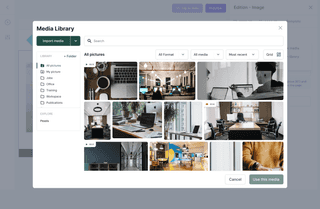
CleverConnect's team was building a SaaS product to help companies build their career website. The product was created like a website builder where you could build your content with blocks, display job offers, and more. They needed to finalize the alpha version before onboarding their first major client. Philippe, Head of Design, reached out via LinkedIn to bring in additional design capacity for this launch phase.
After a quick onboarding with the product team, I rapidly got up to speed and joined product calls to discuss new features and UX improvements. I started by designing my first feature aligned with the new design system being implemented, then progressively identified and proposed improvements across the product.

Working with Adrien was a very pleasant experience. He demonstrated his ability to integrate quickly into our product ecosystem, and adapted to meet the expectations of the assignment. He has become a fully-fledged member of the team, working alongside the Product Manager. I highly recommend Adrien for his UX expertise and the quality of his delivery.
Website Builder Overview
One of the critical features missing for production launch was a comprehensive media library. HR teams needed to manage assets across their career sites, with capabilities for tagging, cropping, and organizing images efficiently. I designed a complete asset management system that enables cross-team collaboration while maintaining organization and easy access to media files.
The media library includes multiple micro-interactions for uploading, editing, and organizing assets. Each interaction was designed to feel intuitive and reduce friction in the content creation workflow, enabling HR teams to build and manage career sites independently.
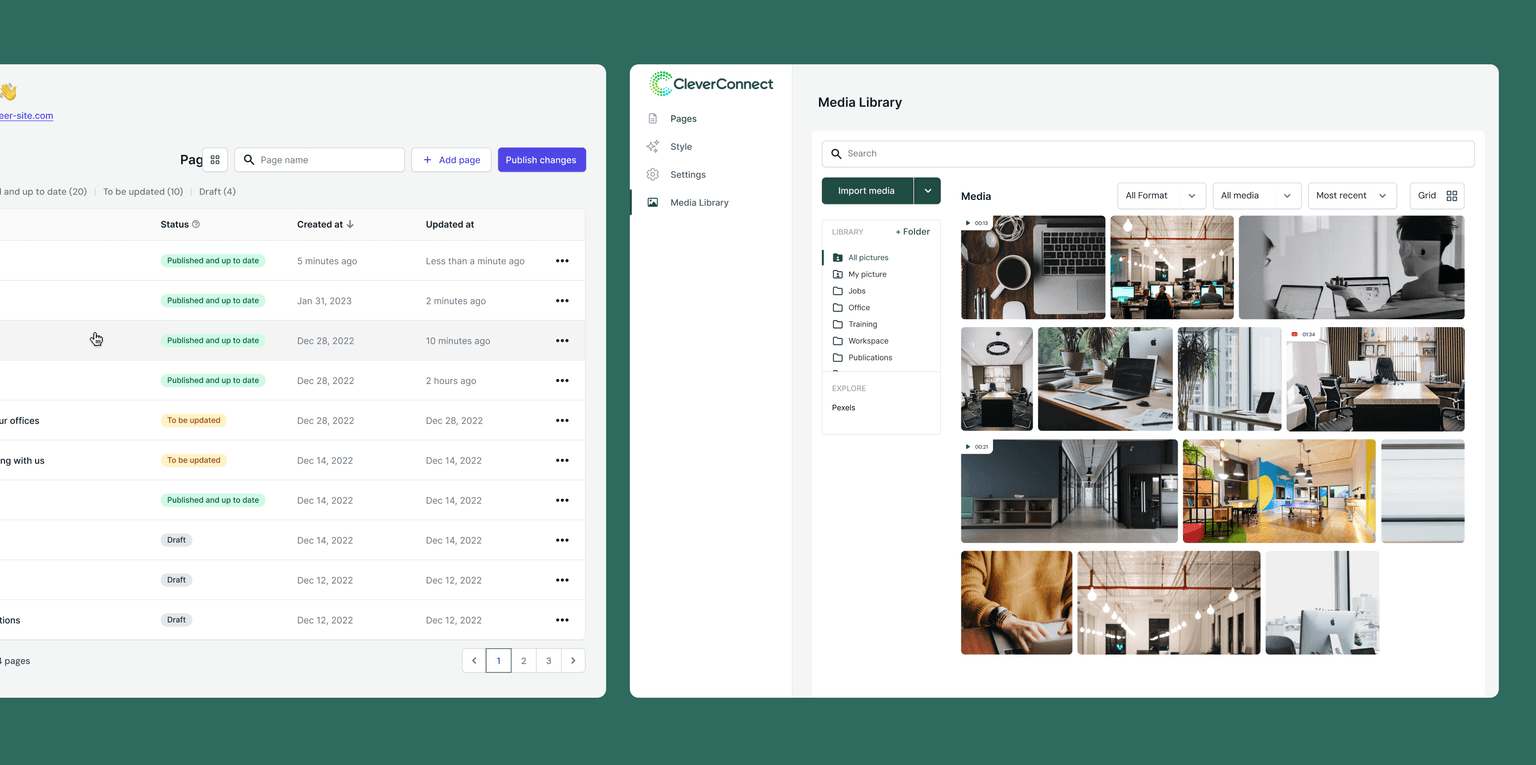
Media Library Interface
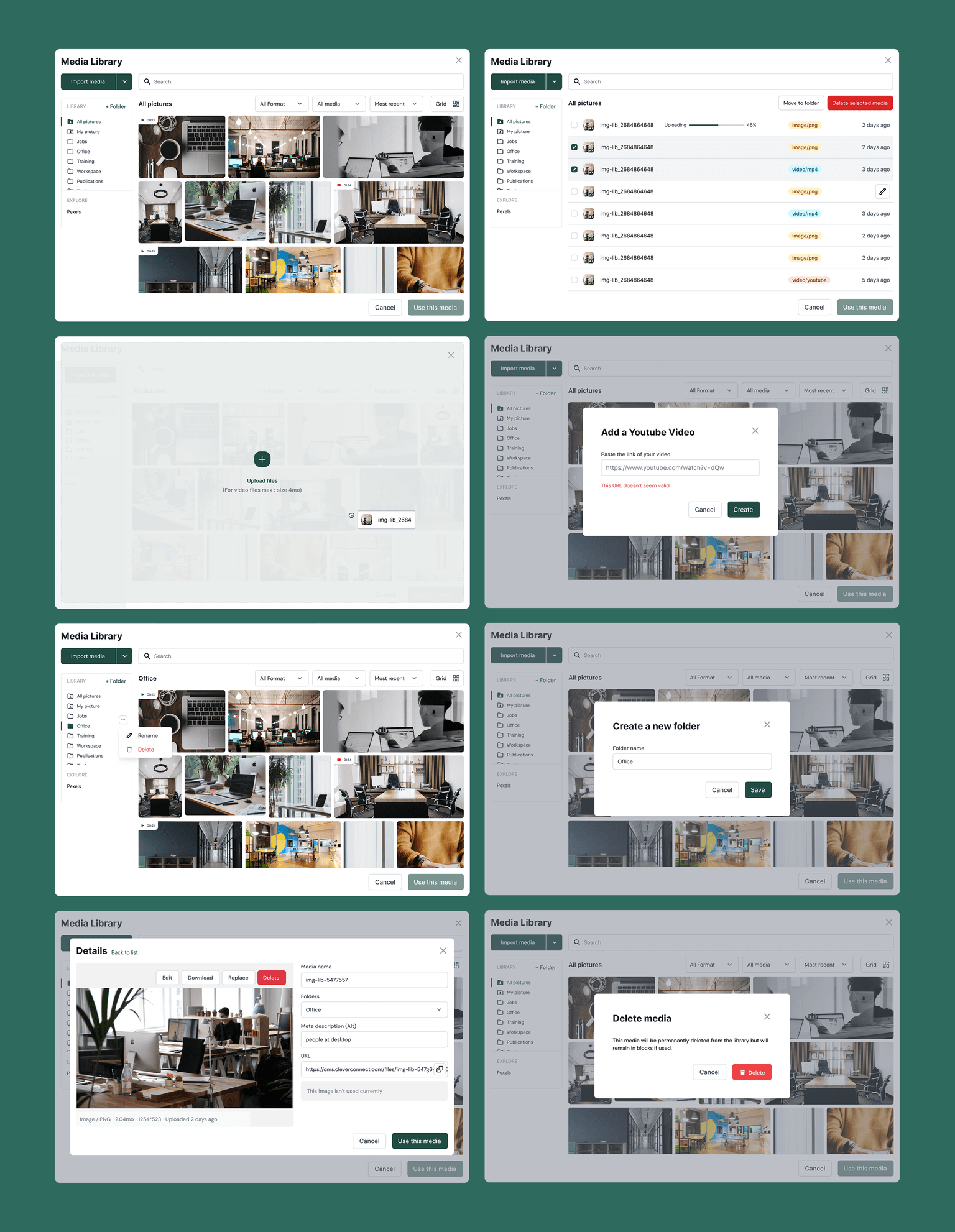
Different States for the Media Library
To meet the alpha launch deadline, I designed and delivered six new blocks from scratch: footer, cards, store locator, quiz, job matching, and padding/margin controls. Each block required careful consideration of multiple states, interactions, and edge cases to ensure production readiness.
The quiz feature was particularly complex, requiring intro screens, question flows, results pages, and comprehensive error states. The job matching feature needed to integrate seamlessly with CleverConnect's existing job board infrastructure while providing an intuitive interface for candidates.
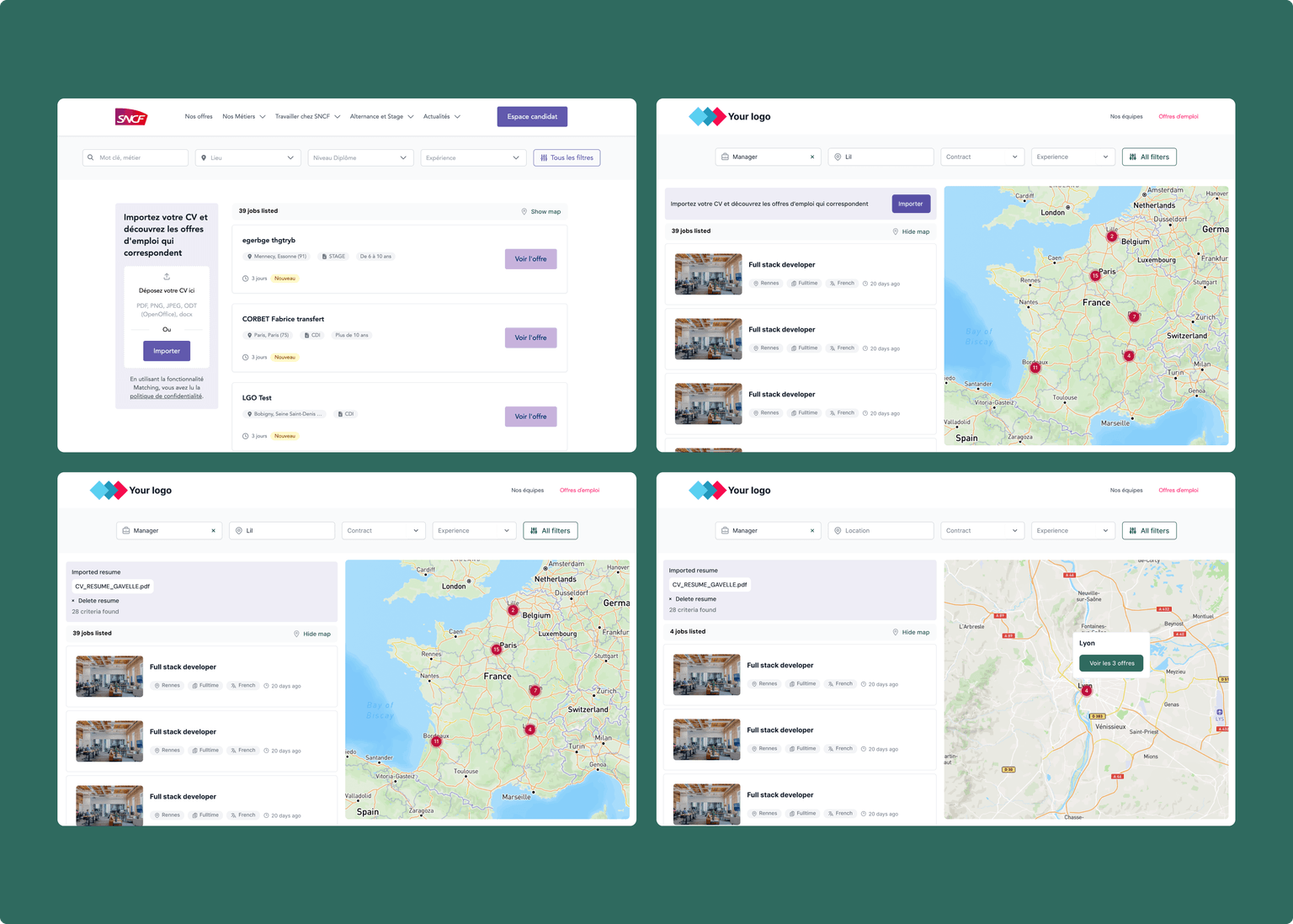
Job Matching Features
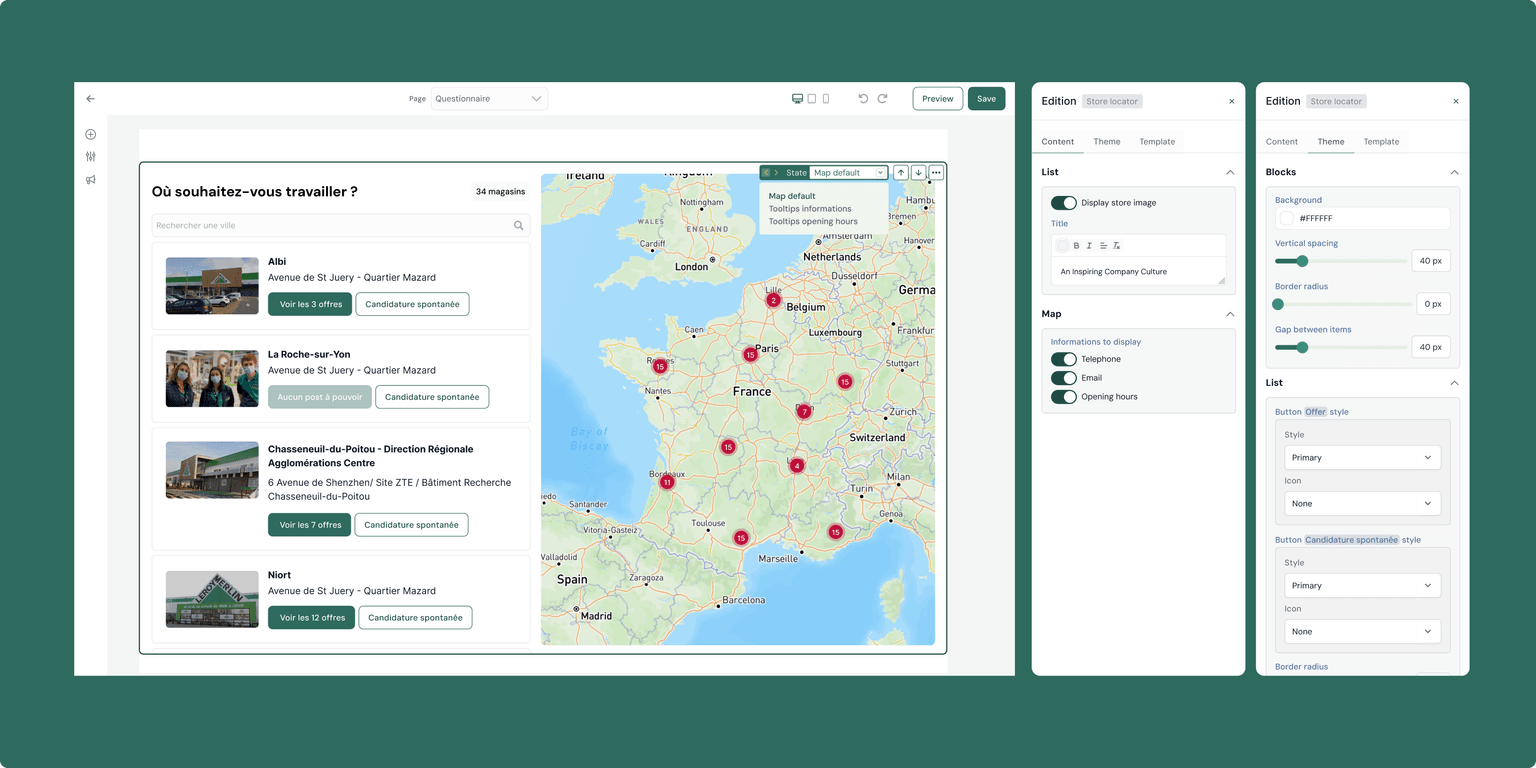
Store Locator with Interactive Map
During the rapid development phase, I identified inconsistencies in sidebar patterns across different blocks. To maintain product coherence and enable efficient future development, I documented these inconsistencies and proposed unified interaction patterns.
For components with multiple states, like customizable questionnaires, I designed a system that allows admins building their company career website to switch between different components and visualize different states easily. This approach ensures that complex multi-state features remain manageable and intuitive.
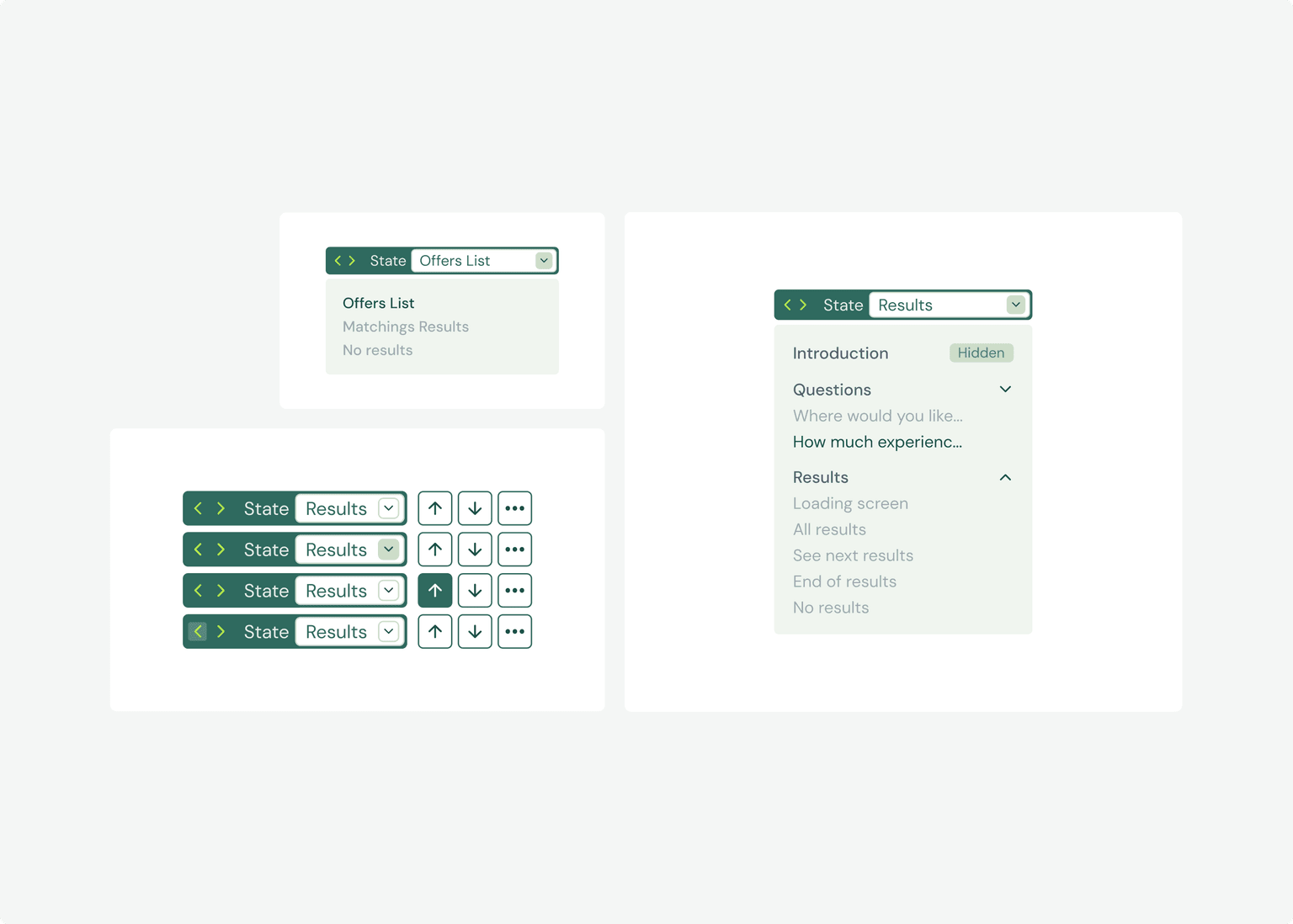
Filter States
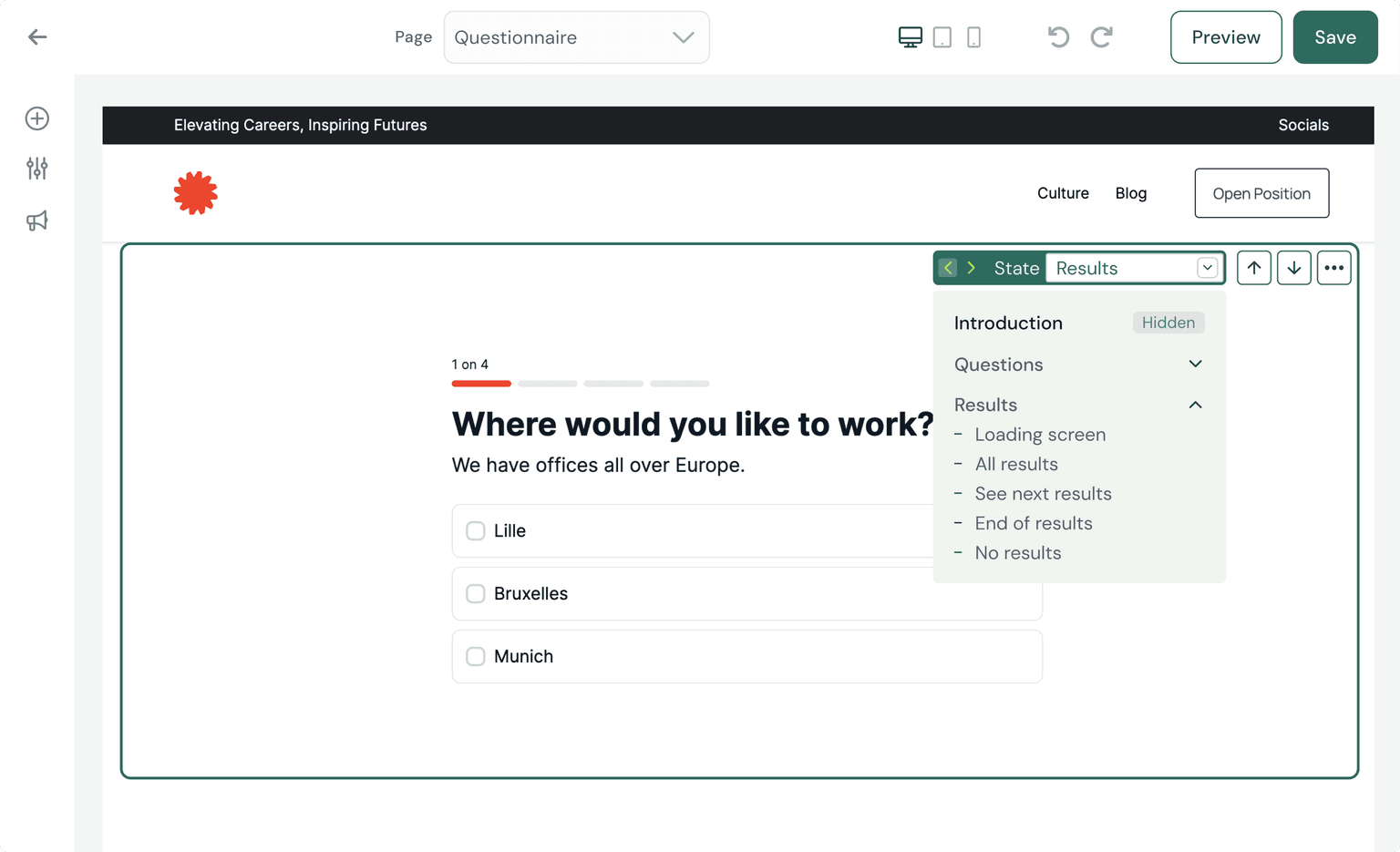
Filters in Context
This is exactly what I need !
Let's talk